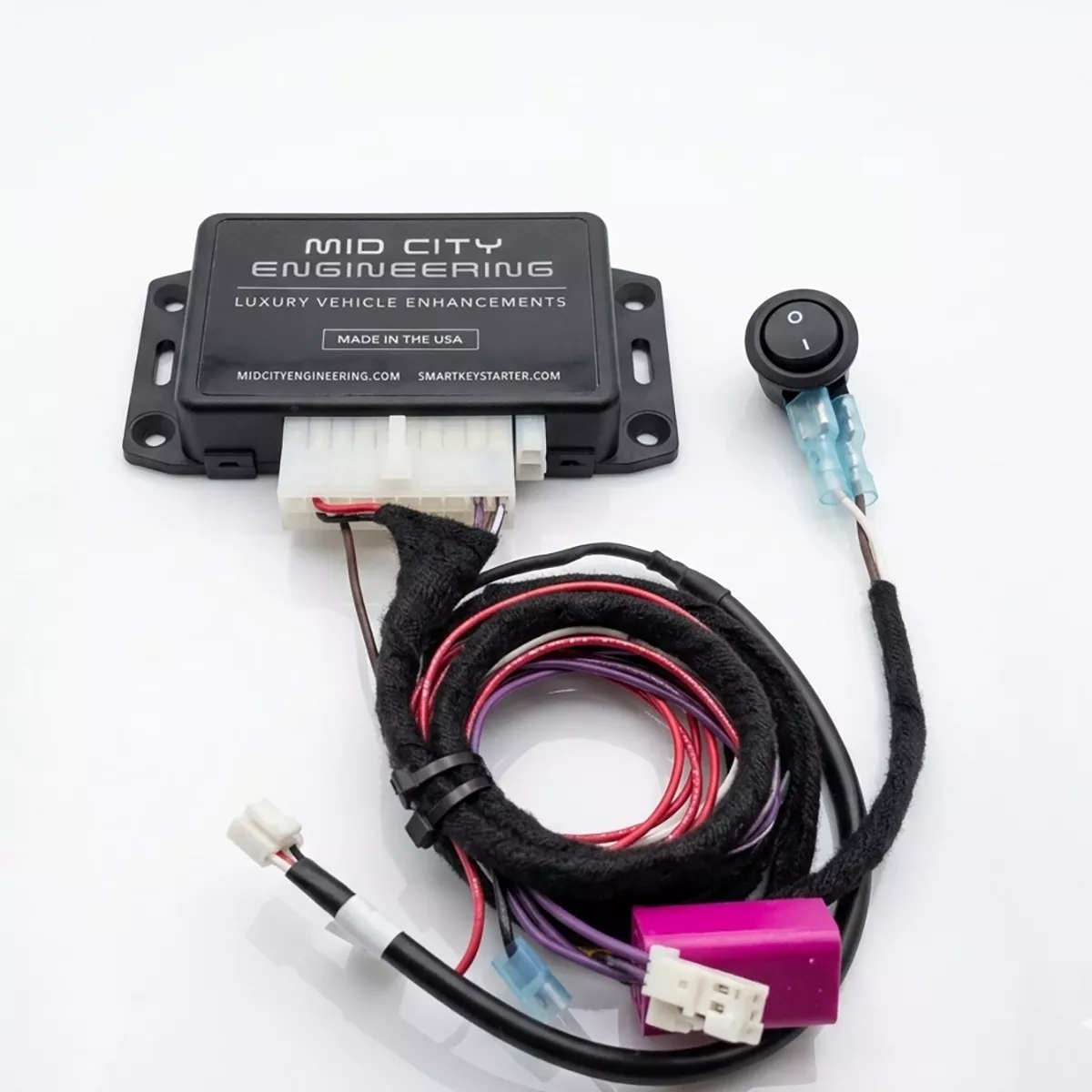
The Mid City 907 Radio Keep Alive Interface for 2019+ Mercedes Sprinter Vans (907RADON) from Nomadic Supply Company® is the definitive power management solution for Mercedes-Benz Sprinter owners who need their cabin technology to remain active long after the engine stops.
Standard vehicle systems are designed to shut down the radio and electronics to conserve battery. For mobile offices, RV enthusiasts, and work crews, this interruption can disrupt communication and productivity. This professional-grade interface bypasses those automatic shutdown protocols, keeping your MBUX system, OEM radio, and factory WiFi hotspot fully powered and functional during vehicle shutdown periods.
The Mid City 907 Radio Keep Alive Interface for 2019+ Mercedes Sprinter Vans integrates directly into the vehicle’s CAN distribution block (located near the A-pillar) and requires a simple ground and power connection to the fuse box under the passenger floor.
- Bypass for Service: For routine maintenance or vehicle flash updates, the module features a simple bypass—unplug the OEM CAN plug from the interface harness and reconnect it to the original distribution block.
- Power Management: This module acts as a control interface to prevent the radio from timing out; it does not change the radio’s primary power source. Users should be mindful of battery consumption when using the system for extended periods without the engine running.
Mid City 907 Radio Keep Alive Interface for 2019+ Mercedes Sprinter Vans (907RADON) Features:
- Uninterrupted Connectivity: Maintain power to your radio and OEM WiFi hotspot while the engine is off or the ignition is in the ACC-off position—essential for off-grid work and leisure.
- Seamless MBUX Access: Retain full use of all MBUX features and internet connectivity without needing to cycle the engine.
- 100% Plug & Play Installation: Engineered for a clean, professional integration into your Sprinter’s existing electrical system. Installation is straightforward, typically taking between 15 and 45 minutes.
- User-Controlled Operation: Includes a high-quality toggle switch with a clear white-dot “On” indicator. Simply flip the switch to keep the system active, or turn it off to allow the vehicle to return to its standard power-saving mode.
- Professional Grade: Built with precise voltage regulation and durable components, making it an indispensable tool for emergency services, commercial fleets, and specialized van builds.
Mid City 907 Radio Keep Alive Interface for 2019+ Mercedes Sprinter Vans (907RADON) Specifications:
- Compatibility: Specifically designed for the Mercedes-Benz Sprinter (907 / VS30) platform.
- System Integration: Fully compatible with the MBUX Infotainment System and factory-installed OEM WiFi Hotspot.
- Installation Type: 100% Plug & Play T-harness integration; requires no permanent modifications to factory wiring.
- Estimated Installation Time: 15 to 45 minutes.
- Control Interface: Includes a manual rocker toggle switch (White Dot = ON / Blank = OFF) for user-activated bypass.
- Connection Points:
- Data: Plugs directly into the CAN distribution block (located at the base of the A-pillar).
- Power: Integrates into the passenger footwell fuse box via a dedicated power lead and fuse holder.
- Ground: Terminated with a ring terminal for secure chassis grounding.
- Voltage Regulation: Features precise internal regulation to ensure stable communication signal delivery to the radio unit.
- Serviceability: Designed with a service-bypass feature, allowing the module to be easily disconnected from the CAN block during vehicle firmware or “flash” updates.
- Operational Role: Functions as a logic-bypass control module; does not alter the radio’s primary power source or battery path.
Mid City 907 Radio Keep Alive Interface for 2019+ Mercedes Sprinter Vans Installation Guide:
Here are the easy-to-follow installation instructions for the Mid City Engineering 907RADON system.
Phase 1: Dash & Floor Disassembly
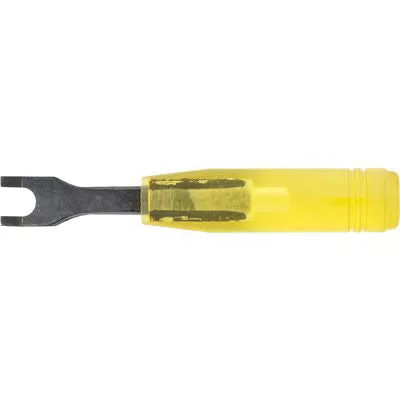
- Remove Knee Bolster Panel: Use a plastic pry tool to remove the small panel at the end of the driver-side knee bolster.
- Remove Footwell Screws: Locate and remove the two screws at the end of the footwell, then remove that panel.
- Access Fuse Box:
- Turn the plastic screws in the footwell counter-clockwise.
- Remove the access panel and pull back the floor liner to reveal the fuse access panel.
- Remove Sill Panel:
- Remove the single screw holding the sill panel in place (under the floor liner).
- Pop out the two plastic panel tabs.
- Pull back the floor and set the sill panel aside.
Phase 2: CAN Bus Integration
- Locate CAN Block: Find the CAN distribution block below the A-pillar (identifiable by purple and purple/white wires).
- Identify Radio CAN Plug:
- Start the engine and turn the radio on.
- Using a pick tool, unplug the 2-pin connectors from the block one by one.
- Wait 10 seconds after each unplug. When the radio shuts off, you have found the correct OEM plug.
- Connect T-Harness:
- Plug the white 2-pin plug from the provided T-harness into any empty spot on the distribution block.
- Connect the OEM CAN plug (identified in the previous step) into the male connector of the T-harness.
- Note: Ensure the solid purple wire on the T-harness aligns with the solid purple wire on the OEM plug.
- Secure Connection: Wrap the connection between the factory plug and the T-harness with electrical tape and find a secure location for the wires.
Phase 3: Wiring & Power
- Connect Ground: Locate the factory bolt near the door opening. Remove it, place the black wire’s ring terminal onto the post, and tighten the bolt back down.
- Connect Power:
- Find the red power lead on the 907RAD-ON harness.
- Route the empty fuse holder terminal through the bottom of the fuse box (under the passenger floor).
- Insert it into the designated fuse location (refer to your kit’s specific diagram).
- Insert the provided fuse into the top of the holder.
Phase 4: Switch Installation & Testing
- Mount Toggle Switch: Drill a hole in your preferred location on the dash and mount the provided black toggle switch.
- Connect Switch to Module: Ensure the 4-pin connector from the switch is firmly plugged into the red 4-pin port on the 907RAD-ON module.
- Test Operation:
- Turn the switch to the ON position (white dot pressed in).
- With the ignition OFF, turn the radio on. Verify that the radio stays on indefinitely.
- Turn the switch to the OFF position to ensure the radio returns to standard automatic shutdown behavior.
Important Notes
- Service Bypass: The 907RAD-ON must be bypassed before performing vehicle flash updates. Unplug the OEM CAN plug from the T-harness and plug it directly back into the OEM distribution block.
- Battery Management: This module does not change the radio’s power source. Always turn the switch OFF when the radio is not in use to prevent battery drain while the engine is off.