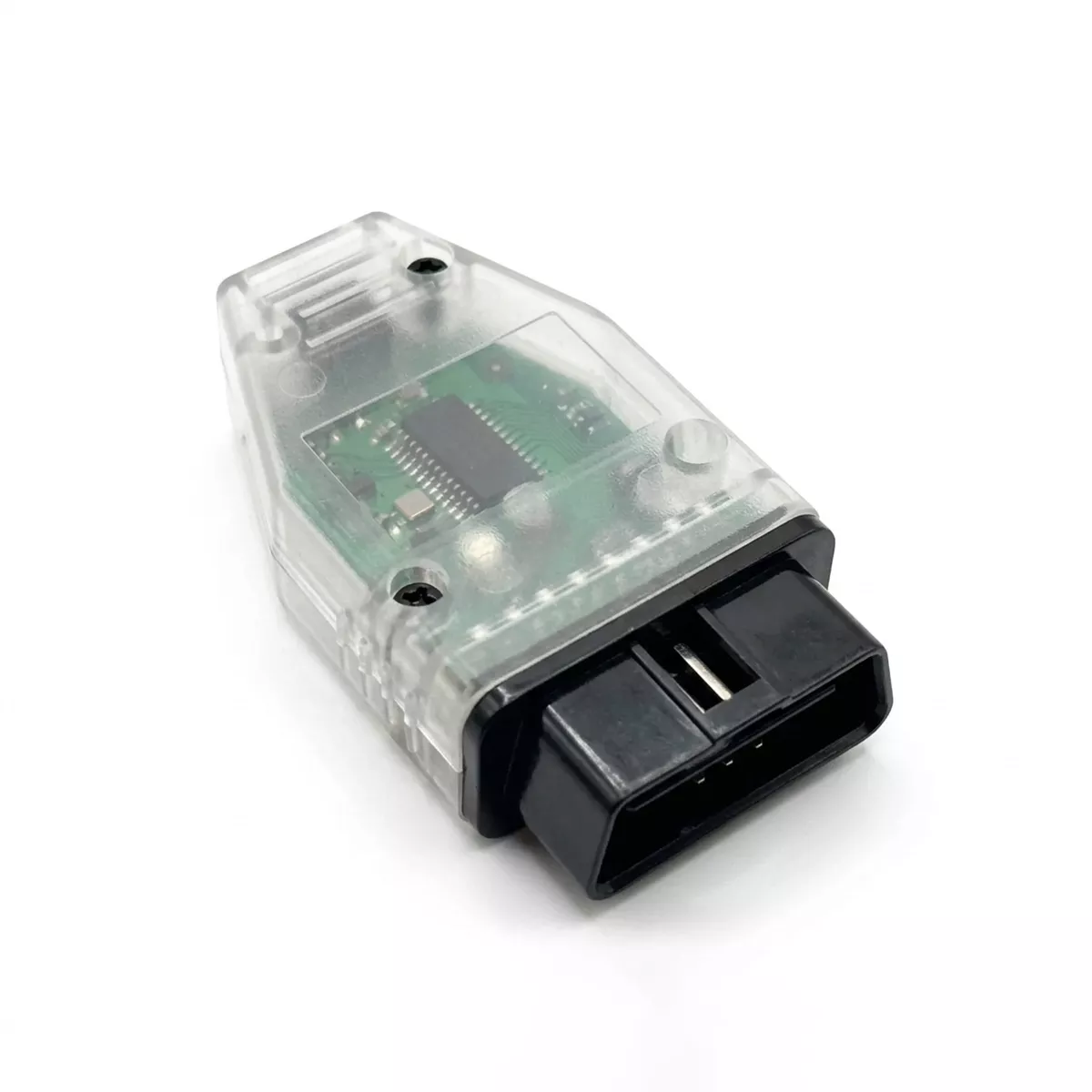
The Mid City OEM Alarm Disable OBD Programmer for 2019-2024 Mercedes Sprinter Vans (907ALARMDIS) from Nomadic Supply Company® provides a streamlined solution for disabling factory alarm systems in Mercedes-Benz 907 Sprinter vehicles through simple OBD port programming. This professional-grade programmer eliminates the complexity of alarm system modifications with an intuitive, user-friendly interface that requires no advanced technical knowledge.
Designed specifically for Mercedes-Benz 907 Sprinter applications, the Mid City OEM Alarm Disable OBD Programmer for 2019-2024 Mercedes Sprinter Vans (907ALARMDIS) delivers reliable alarm system control through your vehicle’s existing diagnostic port. The programmer integrates seamlessly with your Sprinter’s electronic systems, providing a clean and reversible solution for alarm management needs.
Whether you’re upgrading security systems or require alarm system bypass functionality, the Mid City OEM Alarm Disable OBD Programmer for 2019-2024 Mercedes Sprinter Vans (907ALARMDIS) from Nomadic Supply Company offers the precision and reliability that professional installers and vehicle owners demand. The straightforward programming process ensures consistent results while maintaining your vehicle’s electronic integrity.
Mid City OEM Alarm Disable OBD Programmer for 2019-2024 Mercedes Sprinter Vans (907ALARMDIS) Features:
- Simplified Security Bypass: Specifically designed to disable the OEM factory alarm system, providing a clean solution for vehicles receiving aftermarket security upgrades or specialized interior builds.
- Motion Sensor Deactivation: Disables the factory interior motion sensors, preventing false alarms often triggered by pets, temperature changes, or interior movement in converted camper vans.
- Non-Invasive Integration: Modifies vehicle parameters through the diagnostic port, ensuring the electronic integrity of the Sprinter is maintained without cutting or splicing factory wires.
- Reversible Solution: Provides a professional-grade alternative to “hack” methods, allowing for a clean and reliable adjustment of the vehicle’s security logic.
- User-Friendly Interface: Engineered for both professional installers and DIY owners, requiring no advanced technical knowledge or external diagnostic computers.
Mid City OEM Alarm Disable OBD Programmer for 2019-2024 Mercedes Sprinter Vans (907ALARMDIS) Specifications:
- Vehicle Compatibility:
- 2019–2024 Mercedes-Benz Sprinter W907 / VS30
- 2019–2024 Freightliner Sprinter W907
- Interface Port: Standard OBD-II (On-Board Diagnostics).
- Installation Type: 100% Plug & Play; programming is completed in minutes.
- System Requirement: The vehicle must be equipped with a factory OEM alarm for this programmer to function.
- Logic Framework: Direct ECU parameter modification for security and interior monitoring modules.
- Operational Mode: Stand-alone programmer; does not require a constant connection once the programming cycle is complete.
Mid City OEM Alarm Disable OBD Programmer for 2019-2024 Mercedes Sprinter Vans (907ALARMDIS) Installation Guide:
Here are the easy-to-follow instructions for using the Mid City Engineering 907ALARMDIS OBD programmer. This tool allows you to disable the factory alarm system, which is often necessary when installing aftermarket remote starts or sensors that may conflict with the OEM security.
Phase 1: Vehicle Preparation
- Ignition Setup:
- Without pressing the brake pedal, press the Push to Start button twice to turn the ignition ON.
- Confirm the instrument cluster is lit up and warning lights are visible.
- Optional – Reverting to Factory:
- If you are using this programmer to reenable the alarm (remove the feature), push the turn signal stalk UP (right turn position) and hold it there throughout the entire process.
- For standard disabling, leave the stalk in the neutral position.
Phase 2: Programming Sequence
- Cycle and Connect:
- Press the Push to Start button once to turn the ignition OFF.
- Immediately plug the 907ALARMDIS module into the OBDII port under the dashboard.
- Flash the Module:
- Quickly press the Push to Start button twice again to turn the ignition back ON.
- Note: You must complete the “Ignition Off -> Plug In -> Ignition On” sequence in under 10 seconds for the programming to trigger correctly.
Phase 3: Completion & Verification
- Monitor the LED:
- The LED on the programmer will illuminate during the process. Once the LED turns OFF, programming is complete.
- This usually takes only a few seconds but can take up to 5 minutes. If the LED stays on longer than 5 minutes, restart from Phase 1 and try the 10-second sequence faster.
- Finalize:
- Turn the ignition OFF.
- Remove the OBD programmer from the port.
Important Safety Warnings
- Removal Required: The OBD programmer must be removed after use. DO NOT start the engine or drive the vehicle while the module is plugged in.
- Single Vehicle Use: Like most Mid City programmers, this tool is VIN-locked to the first vehicle it is used on but can be used multiple times on that same vehicle to toggle the feature on or off.