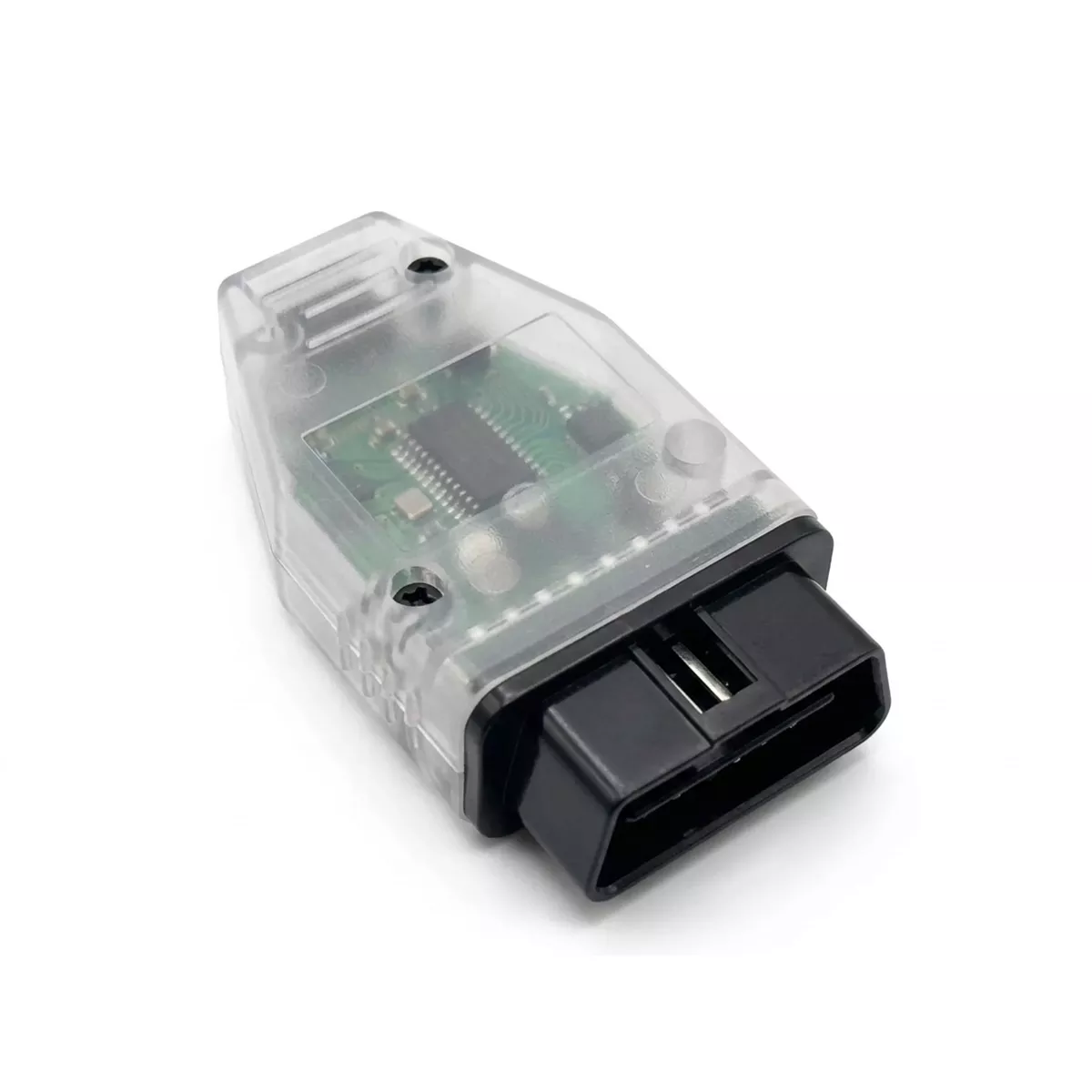
The Mid City LED Replacement Error Delete OBD Programmer for 2019-2024 Mercedes Sprinter Vans (907OBDLED) from Nomadic Supply Company® eliminates annoying dashboard error codes when upgrading to LED lighting on your commercial van. This professional-grade OBD programming tool ensures your Mercedes-Benz Sprinter operates seamlessly with modern LED bulbs without triggering fault warnings.
Designed specifically for the Mercedes-Benz W907 Sprinter platform, the Mid City LED Replacement Error Delete OBD Programmer for 2019-2024 Mercedes Sprinter Vans (907OBDLED) provides a permanent solution to LED compatibility issues. The programmer interfaces directly with your vehicle’s diagnostic system to modify lamp monitoring parameters, allowing aftermarket LED upgrades to function properly without compromising vehicle safety systems.
Commercial fleet operators and enthusiasts alike appreciate how the Mid City LED Replacement Error Delete OBD Programmer for 2019-2024 Mercedes Sprinter Vans (907OBDLED) streamlines the LED conversion process. Rather than dealing with resistor modules or warning light bypasses, this programmer delivers a clean, factory-like integration that maintains your Sprinter’s professional appearance and operational reliability.
Mid City LED Replacement Error Delete OBD Programmer for 2019-2024 Mercedes Sprinter Vans (907OBDLED) Features:
- Software-Level Integration: Permanently modifies the vehicle’s diagnostic parameters to accept LED bulbs, eliminating the need for bulky, heat-generating load resistors or external bypasses.
- Factory-Clean Results: Delivers a seamless, OEM-like lighting integration that maintains the professional appearance and operational reliability of your Sprinter.
- Intuitive Configuration: Features a unique interface that allows users to adjust and select specific programming settings using the vehicle’s existing turn signal stalk.
- Visual Status Feedback: Equipped with a dedicated LED indicator light that signals when the programming cycle is active and confirms successful completion.
- Fleet-Ready Reliability: Designed to streamline the LED conversion process for large commercial fleets and high-end recreational van builds alike.
Mid City LED Replacement Error Delete OBD Programmer for 2019-2024 Mercedes Sprinter Vans (907OBDLED) Specifications:
- Platform Compatibility: Specifically engineered for the Mercedes-Benz Sprinter W907 / VS30 (2019–2024).
- Interface Port: Standard OBD-II (On-Board Diagnostics).
- Programming Logic: Direct ECU parameter modification for lamp monitoring and voltage sensing.
- Installation Type: 100% Plug-and-Play; requires no wiring modifications, cutting, or soldering.
- Safety Standards: Built to work within the vehicle’s existing diagnostic framework without compromising factory safety protocols.
- Power Requirement: Powered directly through the OBD-II port; requires vehicle ignition to be in the “On” position during use.
Phase 1: Vehicle Preparation
- Check Battery Voltage: Ensure your vehicle battery is fully charged. Low voltage can cause programming interruptions.
- Clear the Cabin: Close all doors and ensure all lights (interior and exterior) are turned OFF.
- Wake the System:
- Without pressing the brake pedal, press the Push to Start button twice.
- Verify the instrument cluster is fully illuminated (Ignition On, Engine Off).
Phase 2: OBD Programming
- Locate OBDII Port: Find the diagnostic port located under the driver-side dashboard, near the hood release lever.
- Insert Programmer: Firmly plug the 907OBDLED module into the port.
- A Solid Blue or Green LED will appear on the programmer to indicate it has established communication with the vehicle.
- Monitor Progress:
- The LED will begin Flashing during the data transfer process.
- Wait for the LED to turn Solid again or turn Off (depending on your specific hardware revision). This typically takes 30–60 seconds.
- Note: If the LED flashes Red, the programmer may already be locked to a different VIN or the ignition is not in the correct position.
Phase 3: Finalizing the Flash
- Remove Module: Once the LED indicates completion, unplug the programmer from the OBDII port.
- Cycle Ignition:
- Turn the vehicle completely OFF.
- Open and close the driver’s door to “sleep” the CAN bus.
- Wait 30 seconds, then restart the engine.
Phase 4: Testing & Verification
- Check Dashboard: Verify that the “Check Bulbs” or “Low Beam Left/Right” error messages are no longer appearing on the instrument cluster.
- Function Test: Test high beams, low beams, and turn signals to ensure proper operation.
- Storage: Keep the programmer in your glovebox. While it is locked to your specific VIN, it can be reused on the same vehicle if a dealership update ever overwrites your settings.
Important Note
- Single Vehicle Use: This programmer is VIN-locked. Once it is plugged into a vehicle and the process begins, it cannot be used on any other Sprinter.